SAMCAR  >  Member Resources  > Supra Key & Lockbox
Supra

Key & Lockbox Information

As a SAMCAR member and MLSListings subscriber, you can obtain Supra® key service to access lockboxes and much more.

Supra® Training Videos »

Supra® Tips & Support Wiki »


Supra® eKEY App
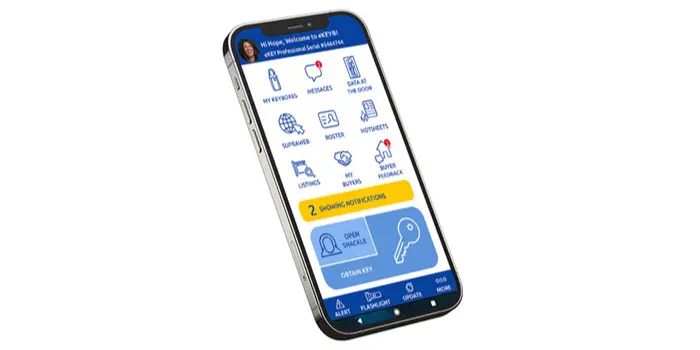
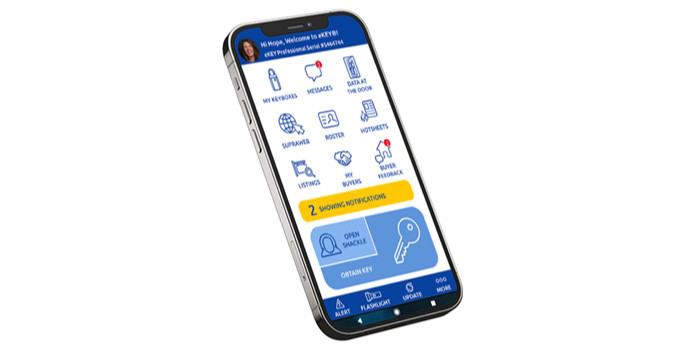
Supra EKEY App

How to obtain Supra® eKEY Access with SAMCAR

Includes information about how to use the eKEY app on your device.

Supra® eKEY Coverage area

Includes a map of the areas in California where Supra eKEY service works and instructions for obtaining "Cooperating Key" access for keyholders outside the coverage area.

Cooperating Key Access

You may now co-op your key in several surrounding counties without being a member of the cooperating MLS or Association.

Set-up your SupraWeb account


Supra® iBox BT LE 
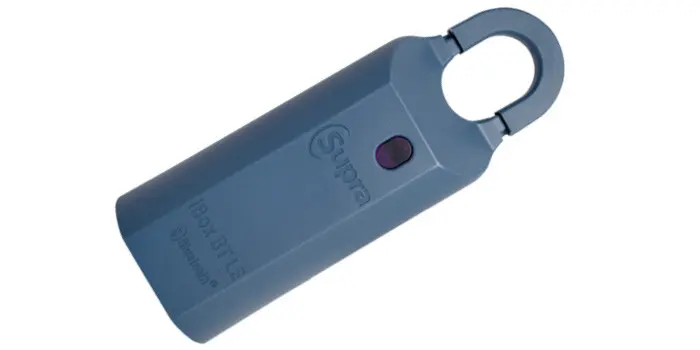
Supra iBox BT LE

Effective April 2022, per MLSListings Inc. the Supra BT LE is the required type, if any lockbox is  used to provide showing access for agents.

To purchase iBox BT LE from SAMCAR, please Contact Us for availability and pricing.

iBox Operational Instructions

Includes information about how to use the Supra® iBox BT LE.

Keybox Transfer Report 

Please complete this form to transfer ownership of Supra® electronic keyboxes.


Supra® Support

Supra Support 1-877-699-6787
Contact Supra® Support
KIM Voice 1-888-968-4032

IMPORTANT! It is a violation of the Supra® Keyholder Agreement to lend or share your Supra® Key. SAMCAR will impose a FINE of $1,000 to anyone lending or sharing their key. ONLY the keyholder may use or be in possession of the key.


Supra
Video: Using the Apple Watch with the Supra eKEY app
Supra is excited to share the another new video to help support eKEY users! This month Supra features a how-to video for the Apple Watch.
header image about Supra EKEY App
Supra EKEY App
With the Supra EKEY, your smart phone is the key. The EKEY app uses Bluetooth signal to open lockboxes so it works even in areas with poor or no cell signal. You just need to update your EKEY by opening the app using wifi or cell signal before going out to view listings. Learn how to set-up the Supra EKey on your iPhone or Android phone.
SupraNET/SupraWEB Credit Card Changes
Attention Supra Keyholders: Supra implemented a small change to SupraWEB that affects the process for changing your credit card number for processing key payments. Click "Read More" for details. If you have any questions, please contact Supra Support at 1-877-699-6787
Supra eKEY Android OS Updates
Android recently released operating system 8.0 for phones and tablets. Supra has completed testing of the new OS with the eKEY app and is happy to announce there are no issues.
Supra Showing Notifications & iOS Updates
Supra is making a small change to the sending address for showing notifications. The showing notifications will now come fromSupraShowings@utc.com. You can updated your showing notifications settings in SupraWEB. Supra also reports that testing is complete and there are no issues with the latest Apple iOS and the eKEY app.
Supra eKey Troubleshooting Assistance
If you need to call Supra's call center for assistance with your Supra key, you will be asked to provide your eKEY serial number. Read more for instructions on how to locate your eKEY serial number.
Site Navigation